Built into BigCommerce
Recurring revenue that compounds — not a bolt-on that depreciates.
A subscription engine inside BigCommerce: plans and pricing, scheduled billing on the platform’s own payment rails, dunning that recovers failed charges, and a self-serve subscriber portal — deployed and billing real Stripe charges today.
22
workflows, consumer + admin
3
roles — merchant, subscriber, support
Stripe
real charges on a deployed app
BC-native
stored-instruments rail, no card data held
How it works
One subscription lifecycle, end to end.
From the shopper’s first subscribe to the merchant’s morning dashboard — five stages, all inside the platform.
- 01
Subscribe
A shopper picks subscribe-and-save on the product page. The widget renders on any BigCommerce storefront — Stencil, Catalyst, or a custom headless build — and reads the merchant’s branding.
- 02
Charge
A scheduler bills on BigCommerce’s own stored-instruments rail with an idempotency key — no double charges, stable anchor dates, no month-end drift.
- 03
Manage
Subscribers pause, skip, swap plans, gift, or update a card from a magic-link portal. No password. Every action is self-serve.
- 04
Recover
Failed charges enter dunning — configurable retries, customer emails, and an exception queue the merchant works like an inbox. Recovered payments fund the program.
- 05
Report
A daily dashboard shows MRR, churn, and what needs attention — at a glance, inside the BigCommerce admin the merchant already lives in.
See it work
The full workflow surface — merchant, subscriber, support.
Three guided journeys captured from the live product — watch or step through them below — plus the full 22-workflow catalog, where every card opens its exact flow. One preview password throughout.
Live app
Browse the live Kibble & Co. storefront — real products, real subscribe-on-PDP widget.
Same preview password as this page — the real storefront the walkthroughs are captured from.
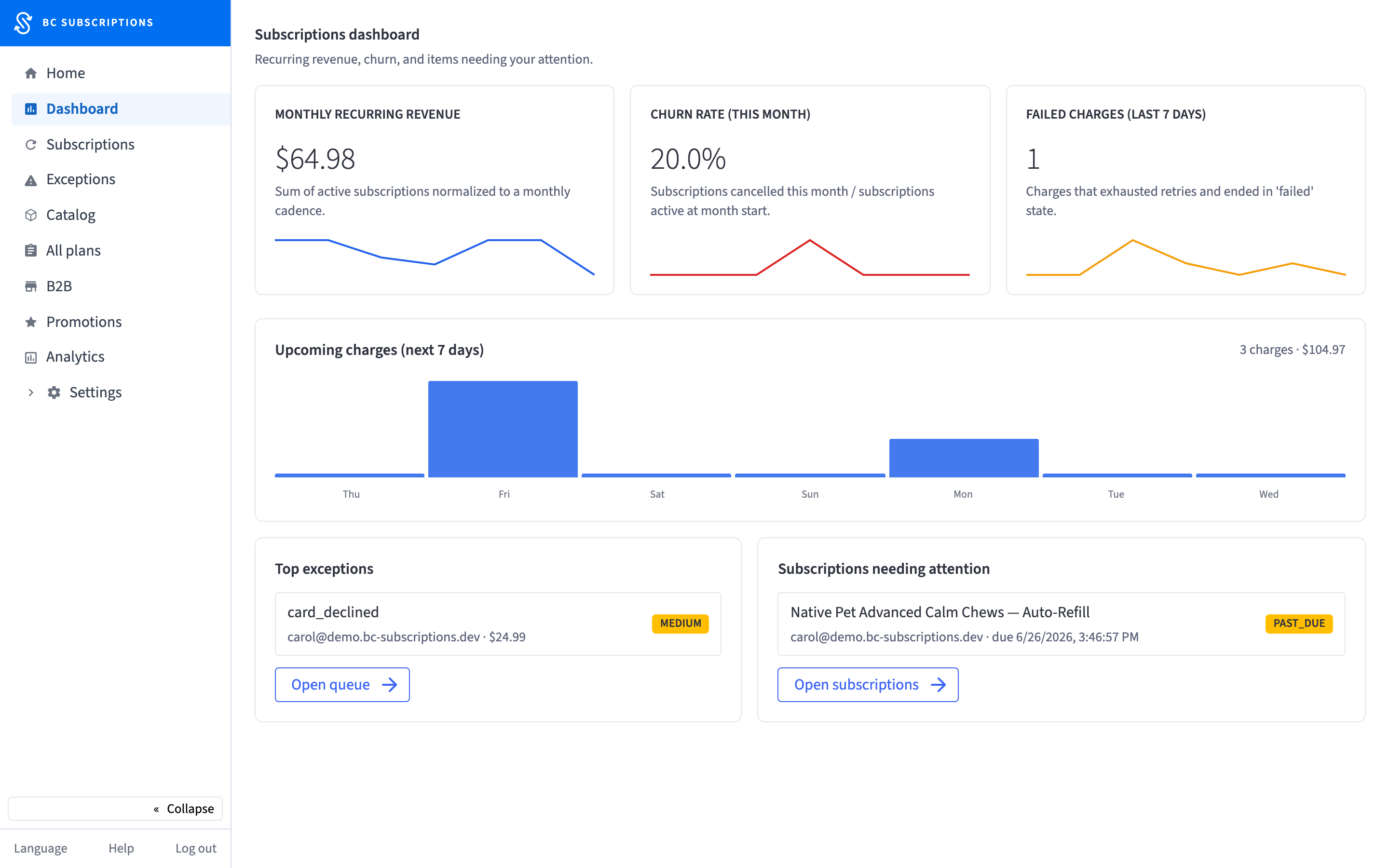 ▶ Step through
Guided journey
Merchant — Morning Ops
Read the program’s health and clear the exception queue, inside the BigCommerce admin.
watch the narrated reel ↗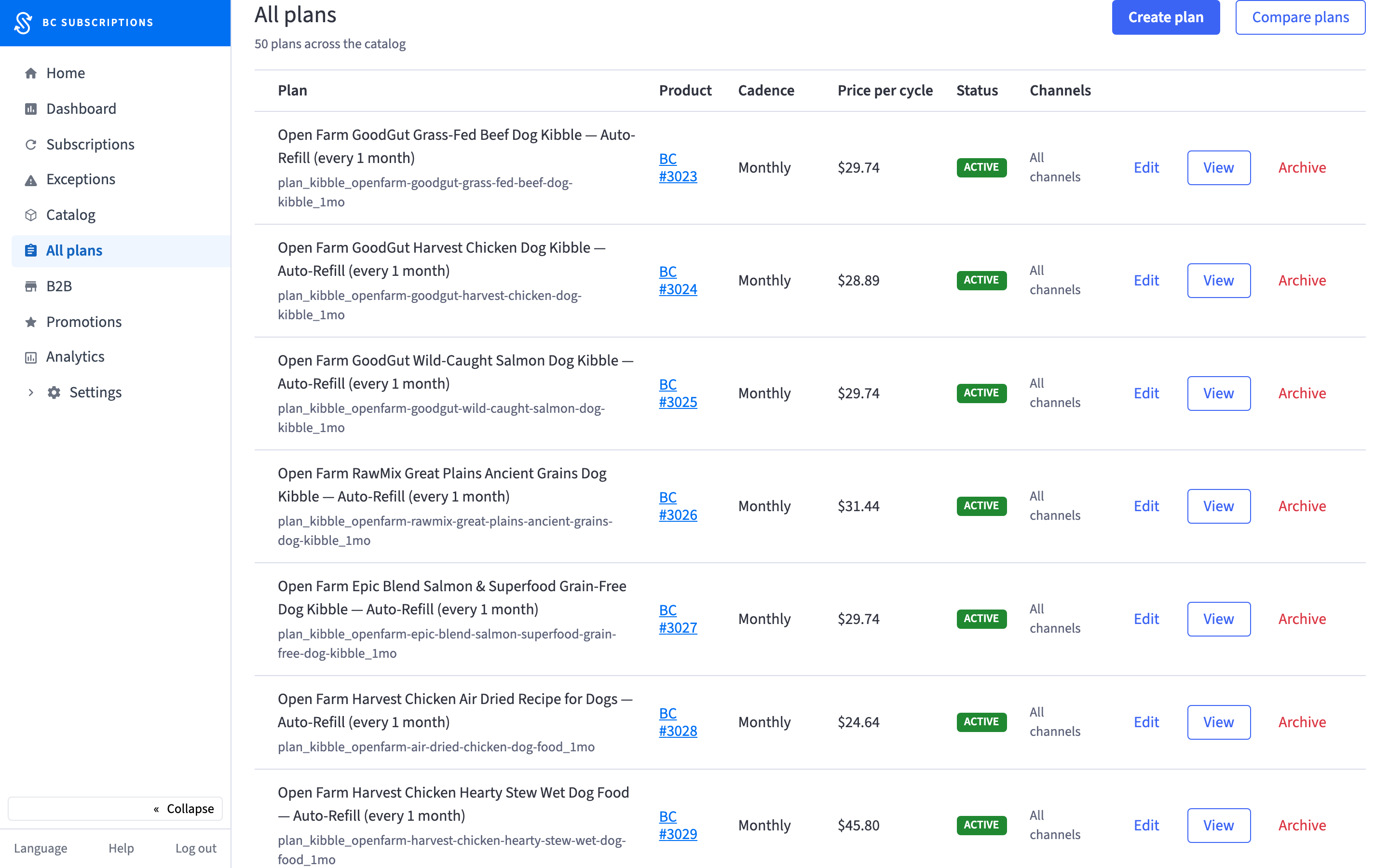 ▶ Step through
Guided journey
Merchant — Set Up Subscriptions
Turn the catalog into subscriptions — plans, pricing, cadence — no engineering, no deploy.
watch the narrated reel ↗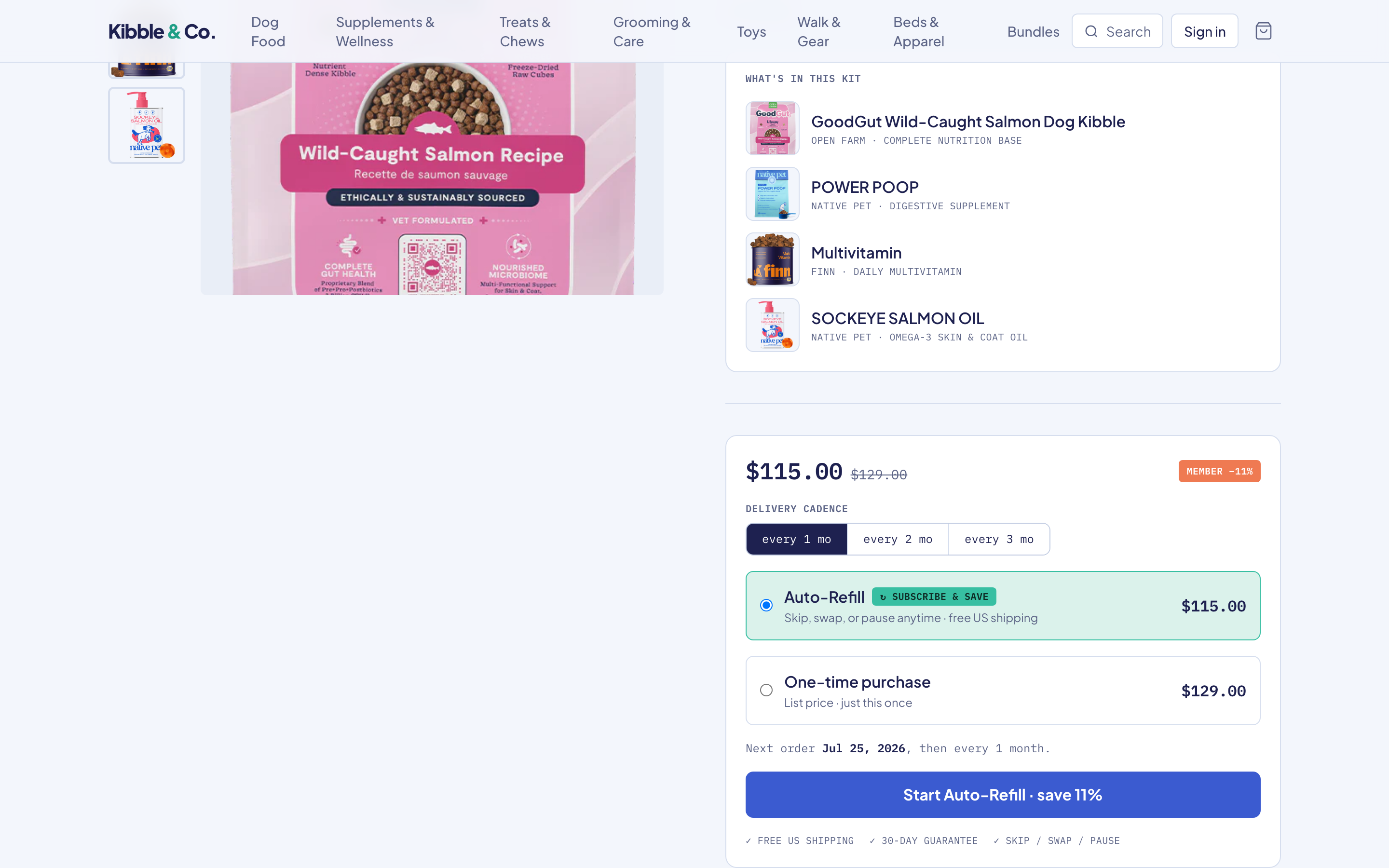 ▶ Step through
Guided journey
Subscriber — Subscribe & Save
A shopper turns a one-time buy into Auto-Refill, on the live Kibble & Co. storefront.
watch the narrated reel ↗Merchant
Set up plans, run the daily program, and recover failed payments — from inside BigCommerce.
Merchant installs the app and walks through onboarding
First-touch experience for a merchant who's just installed bc-subscriptions. Welcome screen, setup checklist, and registration health check.
US-1.1, US-1.5Merchant connects a payment processor
Merchant lands on Settings → Payment after install and connects either Stripe (by key entry) or BC Payments (one-click auto-detect). The Setup Checklist item flips from pending to active once a connection is established. Capture timing preference is also set here.
US-2.1, US-2.2, US-2.7Merchant copies a plan to multiple products
Merchant on the plan-edit page picks 'Copy to products', selects one or more target products via multi-select, and runs the copy. Conflict detection flags target products that already have a same-interval plan; the merchant decides per-product to overwrite or skip.
US-4.5Merchant deactivates a subscription plan (3 choices)
Merchant clicks 'Deactivate plan' on a product's plan panel; modal presents three radio choices — stop new signups, end all subscribers at next cycle, cancel all subscribers immediately. Each choice has distinct customer-impact semantics; merchant confirms after reading the impact summary.
US-4.4Merchant enables subscriptions on a product
Merchant picks an existing BC product, opens the subscription panel, and configures one or more billing intervals + pricing rules. After save, the product is shoppable as a subscription.
US-4.1, US-5.1Merchant designs pricing strategy + intervals across plans
Merchant configures pricing strategy (fixed vs catalog-follow), available intervals (weekly / monthly / quarterly), and how plans compare in the storefront UI.
US-5.2, US-5.4Merchant configures catalog eligibility rules
Rules engine determines which products / variants are subscribable: by category, by custom field, by explicit include/exclude lists. Storefront widget hides on ineligible products automatically.
US-4.3, US-26.2, US-26.10Merchant configures storefront widget appearance
Widget colors, CSS variables, copy A/B variants, and which BC theme regions to render in.
US-8.4, US-8.5Merchant daily ops dashboard
Single-pane-of-glass for the merchant: active sub count, MRR, dunning queue size, exception queue size, top-of-funnel trends.
US-21.1Merchant works through the exception queue
Out-of-stock, invalid-plan, order-creation-failure, chargeback — all surface as exceptions the merchant resolves manually.
US-21.3Subscription list — filters, shareable URLs, bulk actions
Merchant searches/filters the subscription list (by status, customer, product, date range), shares filtered URLs to teammates, and runs bulk actions (skip / pause / cancel) on selected sets.
US-21.4, US-21.5, US-22.4Merchant tunes dunning retry policy
Configure how many retry attempts, the cadence between retries, when to send emails, and the terminal action (cancel vs leave-past-due).
US-11.1, US-11.7Subscription charge flow — scheduler tick → charge → upcoming recompute
End-to-end view of one charge cycle as the merchant experiences it: an active subscription's next_charge_at is reached, the scheduler picks it up on its 5-minute tick, the charge fires through the connected processor with an idempotency key, and the upcoming-charges view recomputes from the anchor date. Pause shifts the entire schedule; resume snaps back to the original anchor.
US-10.1, US-10.2, US-10.3, US-10.5, US-10.6Merchant edits notification email templates
Customize the transactional emails customers receive (subscription created, charge succeeded, payment failed, etc.). Template editor + variable substitution + preview.
US-23.1, US-23.2Subscriber
The shopper side: subscribe, gift, pause, swap a card, and manage everything self-serve.
Gift a subscription to a friend
Shopper buys a subscription as a gift; recipient claims via email link and the subscription is created against their account, not the buyer's.
US-6.1Pause a subscription, then resume it
Customer pauses an active subscription (with or without a resume date). Auto-resume cron fires when the resume date arrives; manual resume snaps the next charge to the original anchor day.
US-18.3, US-10.5Free-trial subscription (skip first charge)
Subscription configured with a trial period; first charge is suppressed until trial end. Cancellation during trial creates no charge.
US-5.5Customer updates payment method for a subscription
Self-serve PM update via the customer portal. Per-subscription or apply-to-all options.
US-19.1, US-19.6Subscriber logs in via magic link
Customer requests a passwordless magic link from the storefront login page. The link mints a portal session JWT; the subscriber lands directly on their subscription detail page with no BC account password required.
US-17.1, US-17.2, US-17.4Customer submits a data-subject access or erasure request
Customer opts out of marketing consent or requests full erasure of their subscription data. The Worker logs the request to an immutable audit trail, cancels active subscriptions, and retains charge records for the legally required period, then confirms receipt.
US-28.1, US-28.2, US-28.3Support
What a merchant’s support team can do on a customer’s behalf, audit-logged.
Merchant manually creates a subscription for a customer (admin-side)
Support agent creates a subscription on behalf of a customer who called in. Subscription is created against the customer's existing stored payment method; immediate first charge is opt-in.
US-22.1Support agent impersonates a subscriber
CS agent opens an impersonation session to see the exact portal experience the customer sees — without touching the customer's credentials. Every action the agent takes is tagged with their operator_id in the immutable audit log.
US-22.3, US-22.5, US-22.6The case
For the merchants who live on subscriptions, the engine can’t be an afterthought.
Above a certain scale, subscriptions stop being a feature and become the business. That merchant needs an engine that’s native, durable, and theirs — not a plugin they’ll outgrow.
What’s proven
A working engine, deployed, billing real Stripe charges on a live store — with acceptance criteria verified end-to-end, not asserted on a slide.
Who it’s for
Merchants for whom subscriptions are core, not a side feature — the segment that today leans on free, good-enough plugins because nothing native existed.
Why native wins
No second checkout, no separate system of record, no data silo. The subscription lives where the catalog, orders, and customers already are.
The upkeep thesis
A bolt-on depreciates the day it ships. A built-in engine compounds — provenance, reliability, and platform integration a plugin can’t match.
Built on BigCommerce
Platform-native where it counts.
Stored-instruments rail
Recurring charges ride BigCommerce’s own vault (ADR-0037). Raw card data never touches the app — the platform tokenizes and stores it.
Marketplace-ready
Ships as a marketplace app, native-aware by design (ADR-0029) — a destination, not a workaround.
Verified, not asserted
Acceptance criteria are proven end-to-end against a live store and real charges — not a slide deck. The guided walkthroughs are captured from that same product.
Step through it yourself.
22 workflows across merchant, subscriber, and support — no signup.